
There’s a new OpenSSH bug, nicknamed sshhole, that lets an attacker log in to some Linux servers over SSH without knowing the password. It’s tracked as CVE-2026-123158 and rated CVSS 8.1 (High).
Before you panic: if you run Ubuntu, Debian, Fedora or almost any other mainstream distro, you are not affected. This one mainly hits Alpine Linux and the many Docker images and embedded systems built on it. Here’s who is really at risk, how to check in ten seconds, and the two-command fix.
Watch the video
What the bug is, a real Alpine 3.21.9 server in QEMU with the affected OpenSSH, and the live fix:
The quick fix
If you just want the answer, here it is, straight from the Alpine advisory:
apk upgrade -U -a          # update OpenSSH
rc-service sshd restart    # REQUIRED: the update doesn't replace the running sshd
Can’t update right now? Turn off password login, restart sshd and use SSH keys instead. Either step closes the hole.
What is the bug?
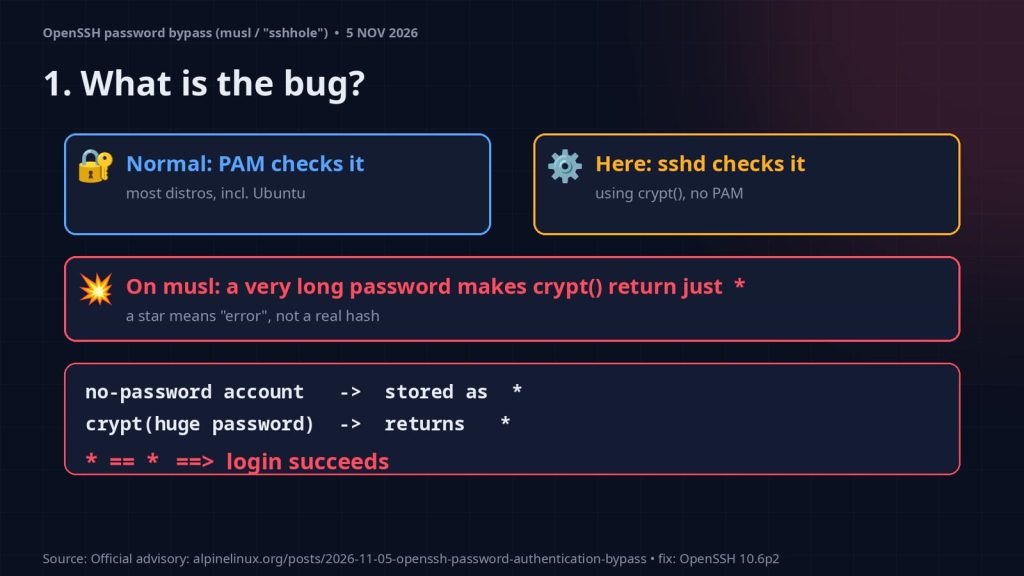
When you log in with a password, SSH has to check it. On most systems it hands that job to PAM. Some systems check the password themselves instead, using the C library function crypt(), which turns your password into a hash and compares it with the one stored in /etc/shadow.
Here’s the problem. On systems built on the musl C library, if you send a password longer than 256 characters, crypt() gives up and returns a single star, *, as an error marker. musl has behaved like this since 2012.
And here’s the twist. Accounts that have no password, like root on a fresh Alpine or a key-only user, are stored in /etc/shadow with a password field of exactly * too. So a star that means “error” matches a star that means “no password”. The check passes, and the attacker is in.
OpenSSH says the root cause is in musl, not in SSH itself, but it shipped a workaround anyway: OpenSSH 10.6p2, released on 5 November 2026, about a day after the report. The bug was reported by Özgün Kültekin (Wakefield) and fixed by OpenSSH’s Damien Miller and Darren Tucker.
Who is actually affected?
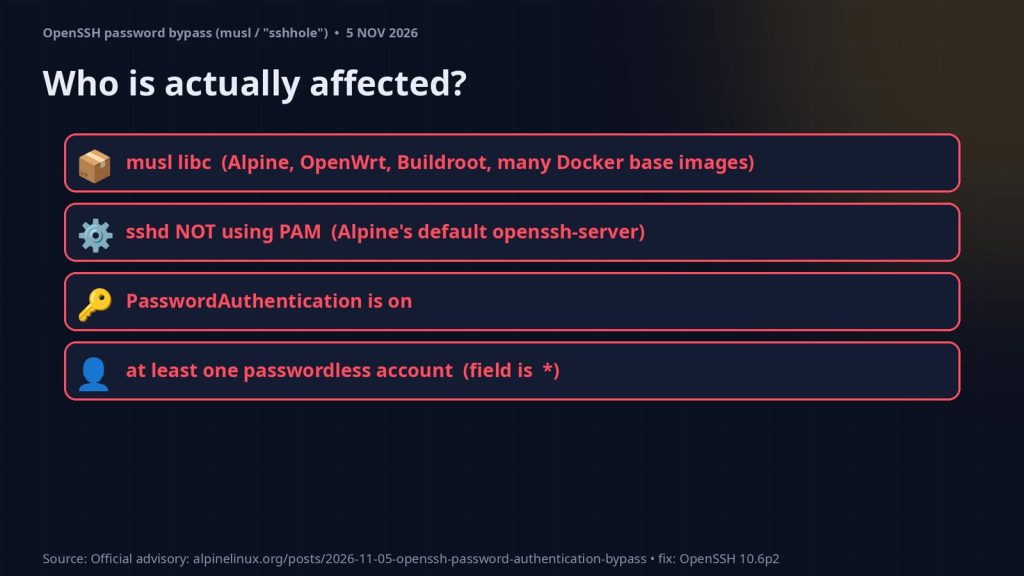
This only bites if every one of these is true:
- The system uses musl libc: Alpine Linux, some OpenWrt, Buildroot and Yocto builds, and many Docker base images.
- sshd is not using PAM. Alpine’s plain
openssh-serverpackage is built without PAM. - Password login is on (
PasswordAuthentication yes, the default). - There’s at least one passwordless account whose shadow field is exactly
*(for example root since Alpine 3.16, users created withadduserwithout a password, or thealpineuser in tiny-cloud images).
| You’re NOT affected if… | Why |
|---|---|
| You run Ubuntu, Debian, Fedora or another glibc distro | glibc’s crypt() doesn’t return * this way |
sshd uses PAM (UsePAM yes, e.g. Alpine’s openssh-server-pam) | PAM checks the password, not sshd |
PasswordAuthentication no | sshd never runs the password check |
Accounts are locked with ! instead of * | ! never matches |
| You use Dropbear, or no sshd is running | Different code, or nothing listening |
If you run SSH inside containers, check those images too. An Alpine-based image you forgot about is exactly where this hides.
Check your server (read-only)
These commands only report. They don’t change anything:
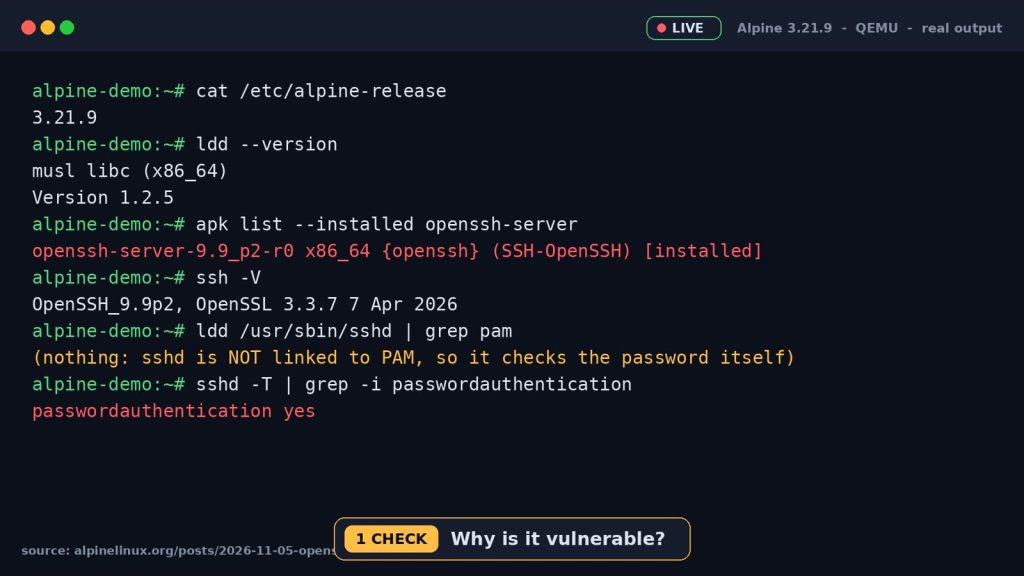
ssh -V                                     # your OpenSSH version
ldd --version                              # on Alpine this says "musl libc"
ldd /usr/sbin/sshd | grep pam              # nothing printed = sshd checks passwords itself
sshd -T | grep -i usepam                   # "usepam no" = the vulnerable path
sshd -T | grep -i passwordauthentication   # "yes" = password login is on
musl + no PAM + password login on + an old OpenSSH = affected. On our test server (Alpine 3.21.9 in QEMU) all of them were true: openssh-server-9.9_p2-r0, sshd not linked to PAM, and passwordauthentication yes.
The fix, live
Update OpenSSH, confirm the new release, then restart sshd. On our test server the package went from 9.9_p2-r0 to the patched 9.9_p2-r1. Alpine’s stable branches get a backported patch, so you won’t necessarily see version 10.6p2 in the package name.
apk upgrade openssh openssh-server
apk list --installed openssh-server   # should show the new release, e.g. 9.9_p2-r1
rc-service sshd restart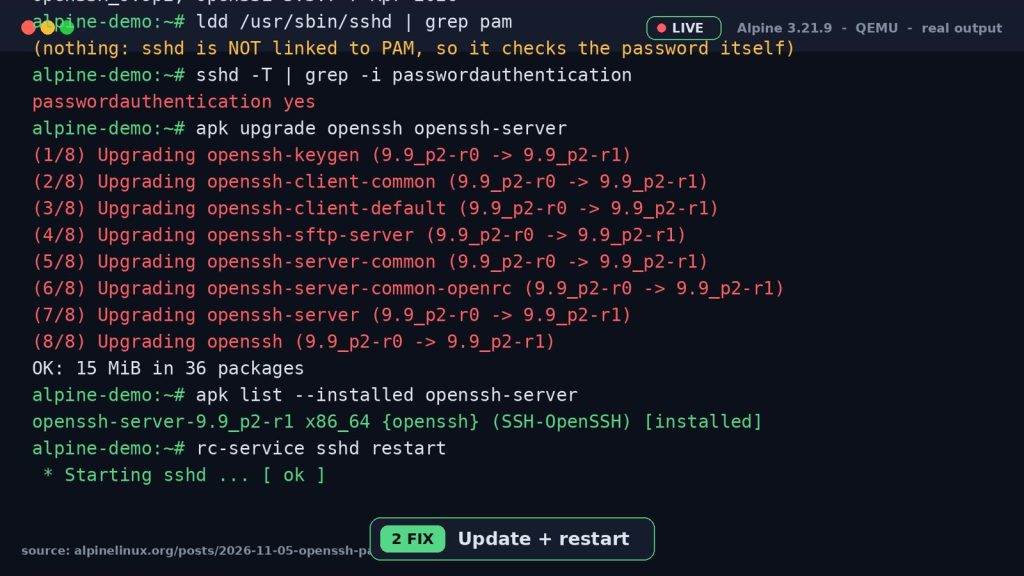
Can’t update yet? Turn off password login instead:
# in /etc/ssh/sshd_config
PasswordAuthentication no

sshd -t && rc-service sshd restart
Keep your current SSH session open and test a key login in a second window before you close it, so you don’t lock yourself out.
Were you already hit?
Look for a successful password login to an account that has no password, such as root, alpine or a key-only user:
grep "Accepted password" /var/log/messagesAlpine’s advice: if you can’t rule out a login, treat the machine as compromised. Rebuild it, rotate keys and review new users, doas use and authorized_keys files.
Everything shown here was done on a throwaway Alpine test VM (QEMU) built for the video. No working bypass was shown or sent, only detection and the fix. Read and understand each command, and only test systems you own or are allowed to test.
Summary
- The bug: on musl, a huge password makes
crypt()return*, which matches passwordless accounts. - Safe: Ubuntu, Debian, any glibc distro, or sshd using PAM.
- Check:
sshd -T | grep usepam. Fix: update and restart sshd, or turn password login off.
It’s been a rough month for Alpine: its own GitLab server was also attacked through the GitLab 10/10 flaw.
Sources: Alpine Linux advisory · Threat Landscape · heise · IONIX (CVE-2026-123158)
More on YouTube
Prefer watching? The full sshhole walkthrough is on our YouTube channel: watch the video. For more hands-on breakdowns of security bugs, Linux servers and dev tools, subscribe at youtube.com/@fineshotai.